
Fixing the Delete User/Delete Account Issue for OIG 12c PS4 - IDCS Connector: Step-by-Step Guide
Published May 8, 2023
Insight summary and table of contents
Summary
Overview
Organizations today rely heavily on identity and access management solutions to ensure secure access to their resources. Oracle Identity Governance (OIG) is one such solution that provides a comprehensive approach to managing access and enforcing policies for enterprise resources. OIG 12c PS4 is the latest version of OIG and it includes an IDCS connector that enables provisioning between OIG and IDCS.
However, a common issue that users face is the inability to delete user accounts from IDCS. In this article, we will guide you through the steps to fix the delete user/delete account issue for OIG 12c PS4 - IDCS connector.
Issue details:
After installation of base version for OIG 12c – IDCS connector in OIG 12c PS4 instance, the provisioning b/w OIG and IDCS is enabled successfully. But, when we are trying to perform IDCS – Delete account scenario by explicitly executing Remove account operation or through leavers flow, the IDCS account is not getting removed/revoked from OIG and eventually from IDCS target system and its still in Provisioned state.
Therefore, in this article, you will know on how to enable the Remove account/Revoke account operation from OIG to IDCS.
Pre-Requisites
The OIG 12c – IDCS connector should be installed in respective OIM instance as Target Source through AoB/Application Onboarding approach. Refer then below screenshot.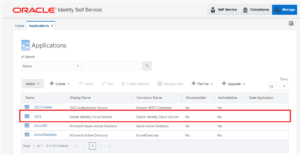
Fix Delete User Issue for OIG 12c – IDCS Connector
1. Login to Identity – Self Service Console using XELSYSADM user.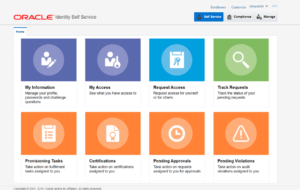
2. Navigate to Manage Tab. Click on Manage.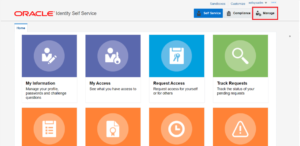
3. You will get below page.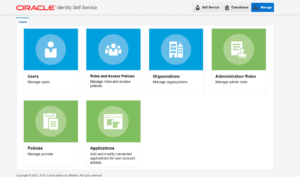
4. Click on Applications tile.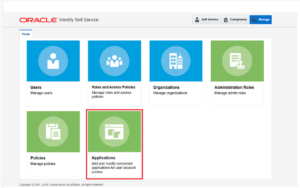
5. Below page will be rendered.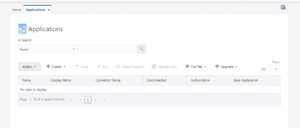
6. Perform the blank search on this page by clicking on “Search” button.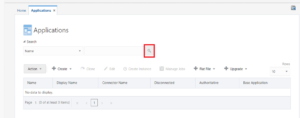
7. Results will be displayed as shown in below screenshot. Note that search result will differ as per your OIG environment and list of connectors you have installed through Aob approach.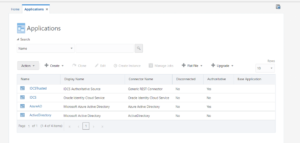
8. Look for Oracle Identity Cloud connector installation which is configured as Target source for IDCS.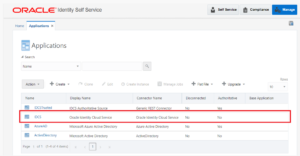
9. Select the Connector and click on Edit.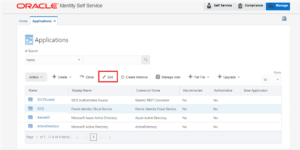
10. Below page will be rendered.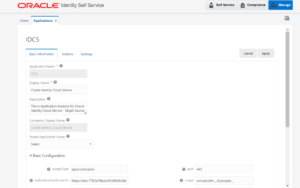
11. Scroll down till you see the Advanced Settings section.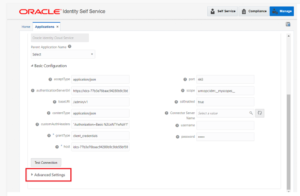
12. Expand the Advanced Settings section.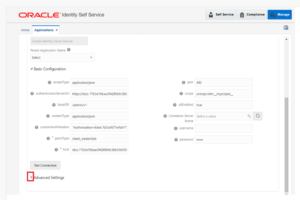
13. Below page will be rendered.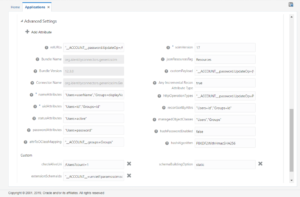
14. Search for “relURLs” configuration.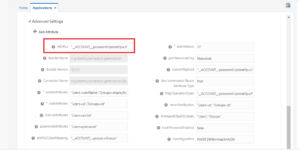
15. The existing relURLs configuration will be as follows.
Existing relURLs configuration
“__ACCOUNT__.password.UpdateOp=/Users/$(__ACCOUNT__.__UID__)$”
16. Change the relURLs to below value.
New relURLs configuration
“__ACCOUNT__.password.UpdateOp=/Users/$(__ACCOUNT__.__UID__)$”,”__ACCOUNT__.DeleteOp=/Users/$(__ACCOUNT__.__UID__)$?forceDelete=true”
17. By updating the above-mentioned value in the relURLs, you are enabling the OIG – IDCS 12c connector to handle the Delete user operation from OIM to IDCS target system.
18. Update the configuration in relURLs parameter of Advanced Settings.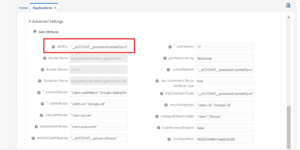
19. Once updated, click on Test Connector just to validate that relURL format is correct. If the relURL syntax is incorrect or if there is any error, the, Test Connection functionality for IDCS connector would fail.
20. Hence, click on Test Connector.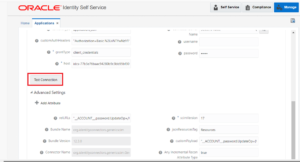
21. If Test connection is SUCCESS, then, you will get below result saying “Test Connection Successful”.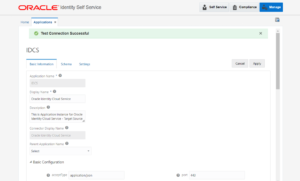
22. Once updated, scroll up and click on Apply.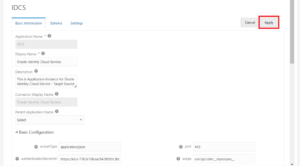
23. You will get below message.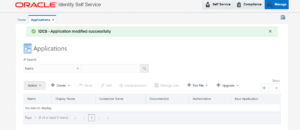
24. Now, when you will test the Leavers flow/Identity Disablement Flow where IDCS account is provisioned to the user/Remove IDCS account request for User, then, IDCS account for the identity will be marked as Revoked in OIG and will be removed from IDCS target system successfully.
The OIG 12c PS4 – IDCS connector provides seamless provisioning between OIG and IDCS. However, the delete user/delete account issue can be a common challenge for users. By following the above steps, you can enable the remove account/revoke account operation from OIG to IDCS and fix the delete user/delete account issue for OIG 12c PS4 – IDCS connector.
This will ensure that your identity and access management solution is functioning optimally and that your resources are secure.
Author: Rohit Wekhande, IDMWORKS, Sr AIM Consultant