IdentityForge Integration with SailPoint IdentityIQ
Published December 6, 2018
Insight summary and table of contents
Summary
Contents
Mainframe applications continue to run significant business processes, and IBM RACF remains the preferred mainframe security system.
Creating users and providing them access into mainframe applications (aka User Provisioning) is done either manually, or using an identity management system like SailPoint IdentityIQ.
However, certifying access to specific data in mainframe systems is a challenge. Specifically, business managers need to view the users and the mainframe dataset(s) that they have access to. Managers also need the ability to revoke or restrict users’ access to certain datasets.
IdentityForge integration with SailPoint IdentityIQ solves this specific use case. Using this integration it’s possible for managers to view the mainframe datasets and the users who have access to it. And, if there is any inappropriate access, the manager can revoke the access in real time.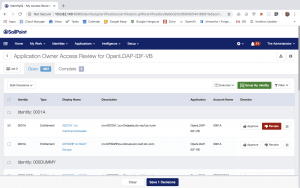
This integration also enables a user to login to SailPoint and request access to mainframe datasets: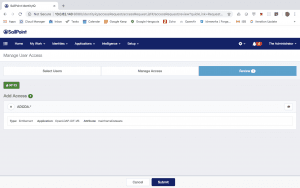
This is accomplished using IdentityForge and out-of-box SailPoint IdentityIQ LDAP Connector. This may sound simple, but it’s a tough problem to solve primarily because when a user is listed in RACF, it’s not possible to list the datasets the user has access to. Instead, one needs to list all the mainframe datasets and search for the specific user in those datasets. This is almost like finding a needle in a haystack.
IdentityForge and SailPoint integration solve this issue using two unique capabilities:
- IdentityForge can determine the list of users having access to a dataset, and
- SailPoint LDAP connector ability to searches datasets to determine users’ memberships to datasets during account aggregation
How It Works
Below are technical details with step by step process to accomplish the integration. This is done using IdentityForge 6.2 and SailPoint IdentityIQ 7.2p2.
Step 1: Configure OpenLDAP connector in SailPoint IdentityIQ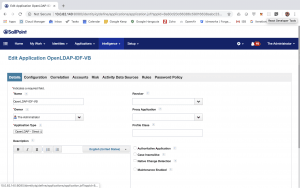
Step 2: Configuration Settings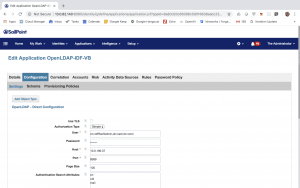
Step 3: Define Account Schema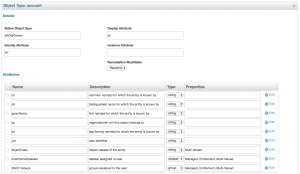
Step 4: Define Group Schema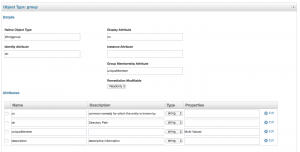
Step 5: Define Dataset Schema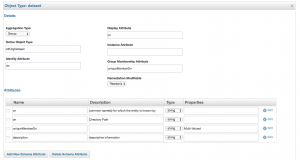
Step 6: Account Settings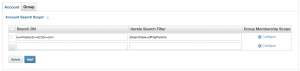
Step 7: Group Membership Scope (for Account)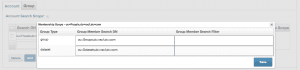
Step 8: Group Settings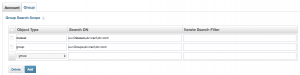
Step 9: Save the application
Step 10: Define the Account Aggregation Task. Be sure to ‘Promote Managed Attributes’
Step 11: Define the Group Aggregation Task
With above changes it should now be possible to see all the RACF Groups and RACF Datasets in the SailPoint Entitlement Catalog: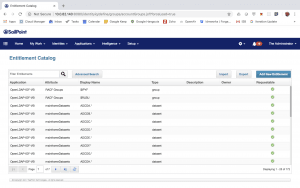
It should now be possible to view a RACF account and the RACF Groups and Datasets connected to it e.g. below are the details for a RACF account ‘Pioneer Started Task’ in my environment. Note the attributes ‘RACF Groups’ and ‘mainframeDatasets’: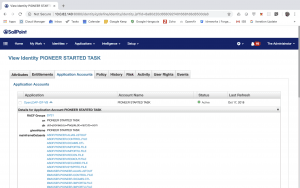
Certification
Now it is possible to conduct certification of mainframe datasets. Note: you might have to execute SailPoint ‘Refresh Entitlement Correlation’ task. Below are the screenshots from my environment:
In RACF, the user ‘0001A’ has access to dataset ‘ADCDA.*’: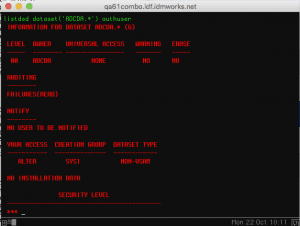
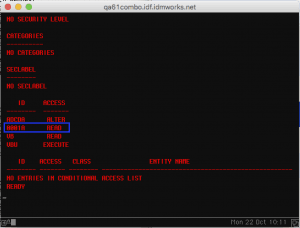
Revoking access of user ‘0001A’from dataset ‘ADCDA.*’ from SailPoint:
As a result, in RACF, the user ‘0001A’ no longer has access to dataset ‘ADCDA.*’: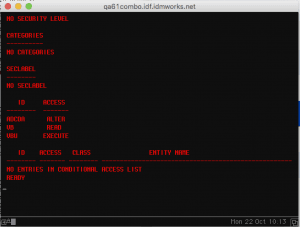
Requesting Access to Dataset
From SailPoint, it’s now possible to request access to mainframe datasets. Refer to screenshots below.
In SailPoint requesting access to dataset ‘ADCDA.*’ for user ‘00123’:
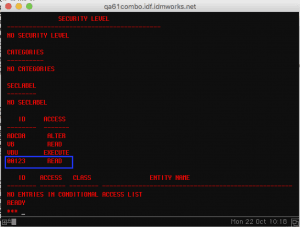
In RACF, the user ‘00123’ now has access to dataset ‘ADCDA.*’